Heddle's first third-party integration
Historical deployment · first third-party integrationFrom coding agent to product SDK: what Heddle learned from SlideX
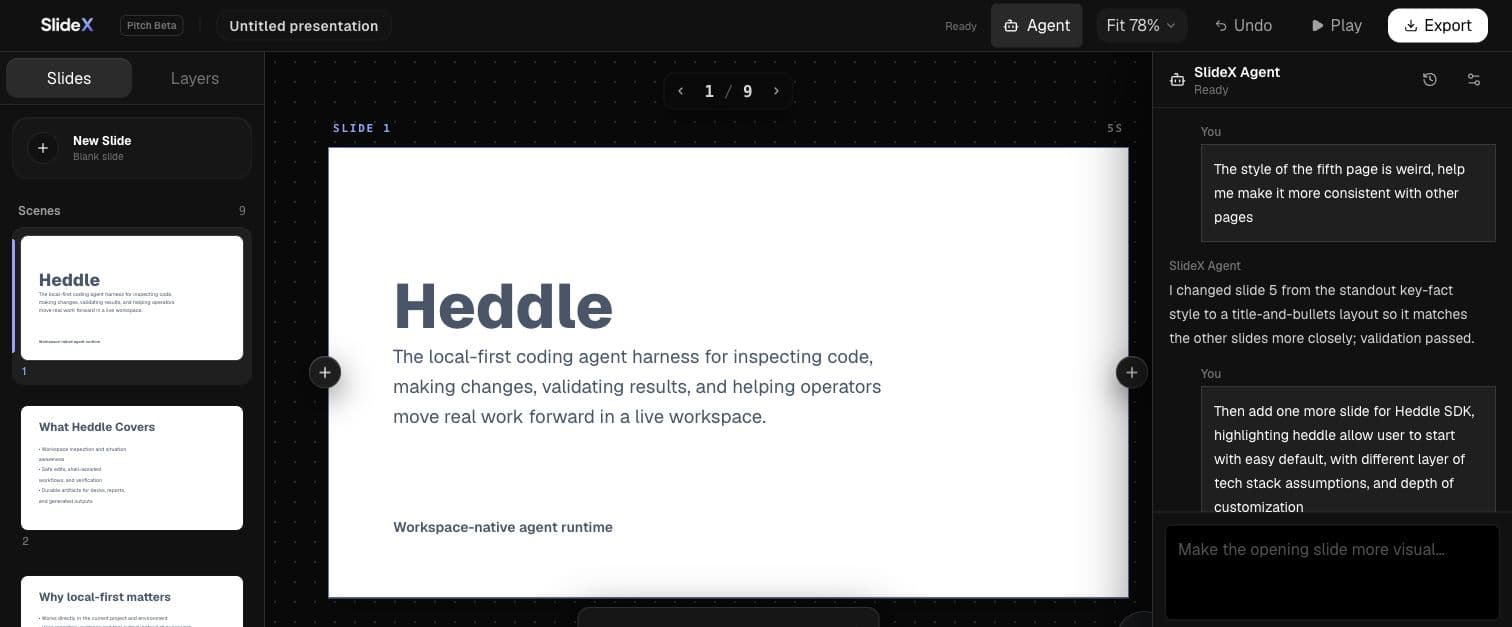
SlideX's public hosted deployment is no longer available. But building its conversational presentation agent forced Heddle to cross an important boundary: from powering its own coding agent to serving as reusable infrastructure inside someone else's product.
Current status · Updated August 2026
SlideX's public hosted deployment was retired as the project moved back toward local operation. This retrospective documents the conversational-agent integration deployed in July 2026 and the reusable Heddle capabilities that emerged from it.
By Jay / Fienna LiangPublished Updated
- Product
- Browser presentation workspace
- Deployment
- Publicly deployed in July 2026; hosted version retired
- Outcome
- First third-party integration and SDK pressure test
A real product reveals the assumptions a demo can hide
Before SlideX, Heddle mostly powered its own coding-agent experiences. That proved the runtime could drive useful agent work, but it did not prove another product team could adopt the same building blocks without inheriting Heddle's application assumptions.
SlideX already had authentication, a browser editor, MotionDoc presentation tools, product data, manual editing, undo, and PowerPoint export. The agent had to fit those boundaries. It could not become a parallel source of truth or ask the product to reorganize itself around the runtime.
What the integration had to prove
The test was not whether a model could produce slide-shaped text. The agent had to participate in a real editing workflow and preserve the product's authority.
- Turn everyday requests into changes to the actual MotionDoc presentation.
- Continue multi-turn conversations without losing earlier intent.
- Expose understandable tool activity, validation, cancellation, and failure states.
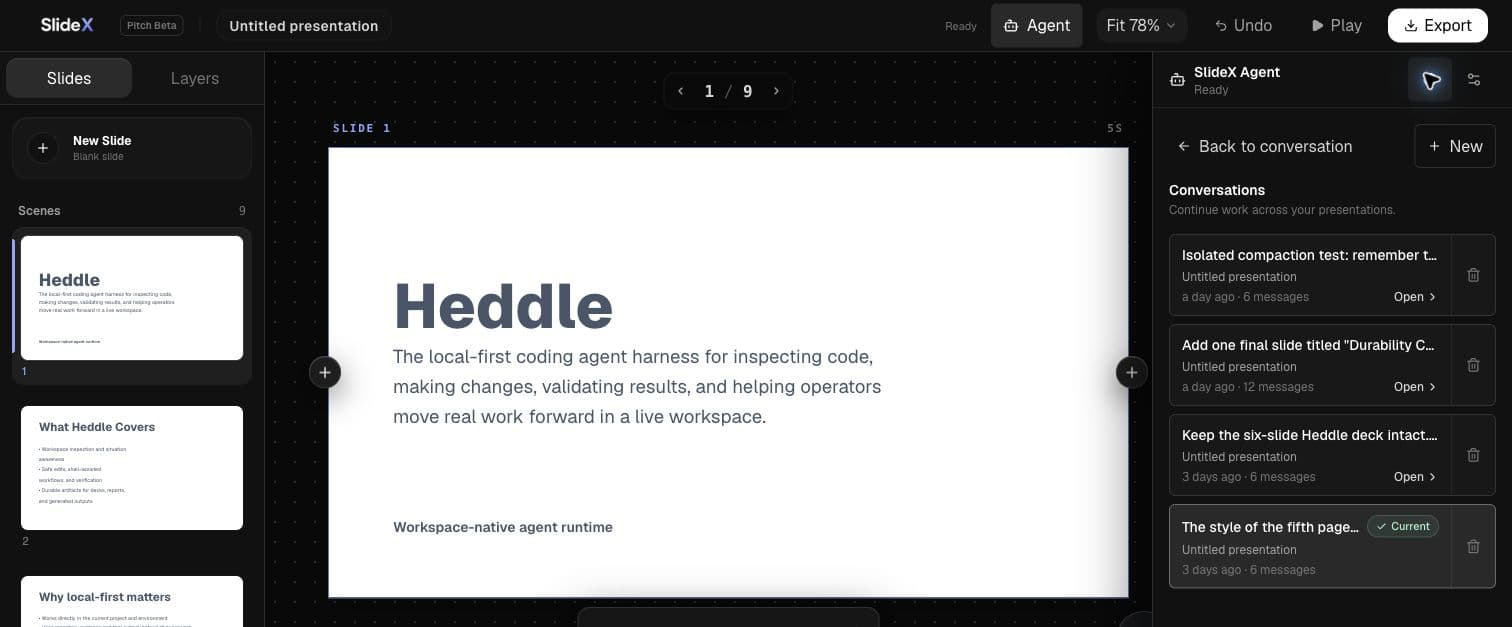
- Restore completed conversations after refresh or process replacement.
- Reject stale agent results instead of overwriting newer manual edits.
The architecture preserved product ownership
Heddle supplied reusable execution mechanics inside a SlideX-controlled service. SlideX remained the authority for identity, presentation data, policy, and UI.
- 01Product experience
SlideX editor
Conversation UI, presentation state, undo, manual edits, stale-result review, and the final user experience.
- 02Reusable runtime
Heddle-powered agent service
Conversation continuation, model and MCP execution, run lifecycle, ordered activity, cancellation, and reconnection.
- 03Canonical tools + data
MotionDoc + product storage
Presentation mutations and validation, product records, safe transcripts, durable sessions, and completed archives.
The most valuable abstraction was a boundary
The integration clarified which responsibilities were generic enough for Heddle to own and which had to stay with the host product.
- Multi-turn conversation, continuation, compaction, and recovery semantics
- Model, tool, and MCP execution with structured activity and results
- Addressable runs, ordered events, bounded replay, and cancellation
- Browser-safe remote protocol and reconnection behavior
- Revision-safe session and archive persistence contracts
- Authentication, tenancy, and presentation authorization
- The canonical MotionDoc and conflict-safe presentation writes
- Product chat history, retention policy, and storage adapters
- Editor UI, undo behavior, and stale-result review
- Model credentials, deployment, cost, and operational policy
What SlideX changed in Heddle
The integration exposed repeated, correctness-sensitive work that should not be rebuilt by every adopter. Those lessons became reusable SDK seams instead of SlideX-only glue.
Capabilities promoted into Heddle building blocks
- A conversation service with structured defaults and a durable session lifecycle
- Prepared MCP host extensions and a curated model-visible tool surface
- Hosted runs with stable identity, ordered events, reconnect, and cancellation
- Persistence contracts grouped by domain rather than one universal storage abstraction
- Explicit terminal results and browser-safe public projections
Responsibilities deliberately left with the host
- Product identity, tenant scope, authorization, and retention policy
- The canonical domain model and conflict-safe business writes
- Product-specific prompts, tools, and result-acceptance rules
- UI, deployment topology, credentials, and operational economics
What was verified at the time
The screenshots and claims on this page come from the July 2026 editor integration—not a mocked marketing screen. They record functional evidence from that deployment, not current service availability.
- Create a deck, then make constrained follow-up edits while preserving the rest.
- Keep multiple conversations and return to an earlier transcript.
- Restore completed conversations and model-facing context after refresh and process replacement.
- Cancel a run without persisting its proposed change.
- Protect a newer manual edit when an agent result becomes stale.
- Report credential, validation, and conflict failures without claiming success.
Build a similar experience
Let the next integration start further ahead
Heddle now packages more of the conversation, tool, hosting, and persistence work that SlideX helped expose—while leaving your product in control of identity, data, policy, and experience.