Browser Control Plane
A local browser UI for managing workspaces, sessions, and agent state — from any device.
Overview
Run heddle daemon to serve the local browser control plane. It supports workspace switching, saved session review, structured diffs, heartbeat task management, memory health, and mobile layouts for phone and tablet use.
The packaged daemon serves the supported web-v2 client and backend API from one local server. Terminal, browser, and mobile clients can share live session events, streamed assistant output, approval state, current Git review, trace-backed turn evidence, workspace selection, and heartbeat task records.
Start the daemon
heddle daemon
# → Serves the control plane at http://127.0.0.1:8765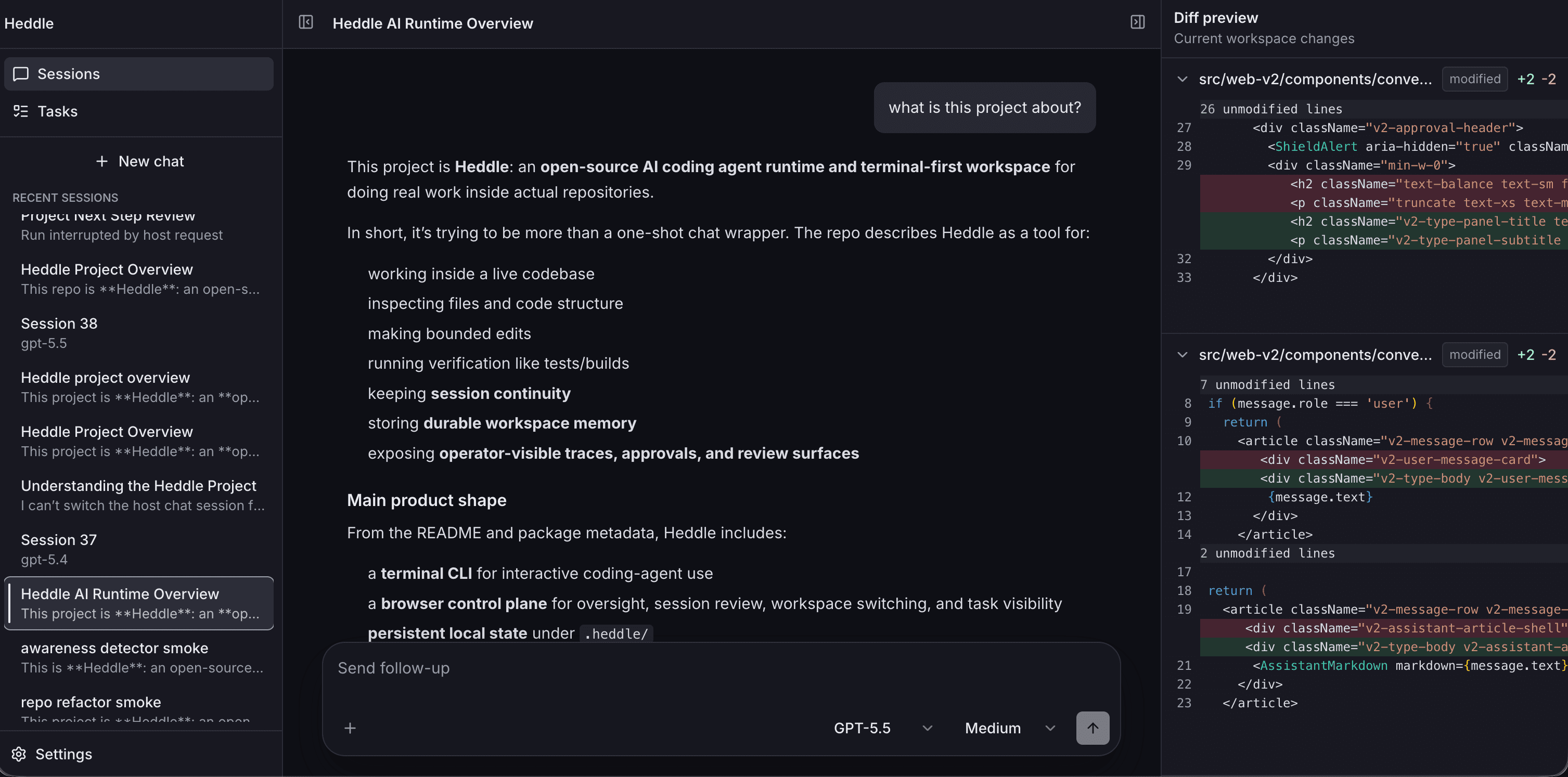
What the control plane includes
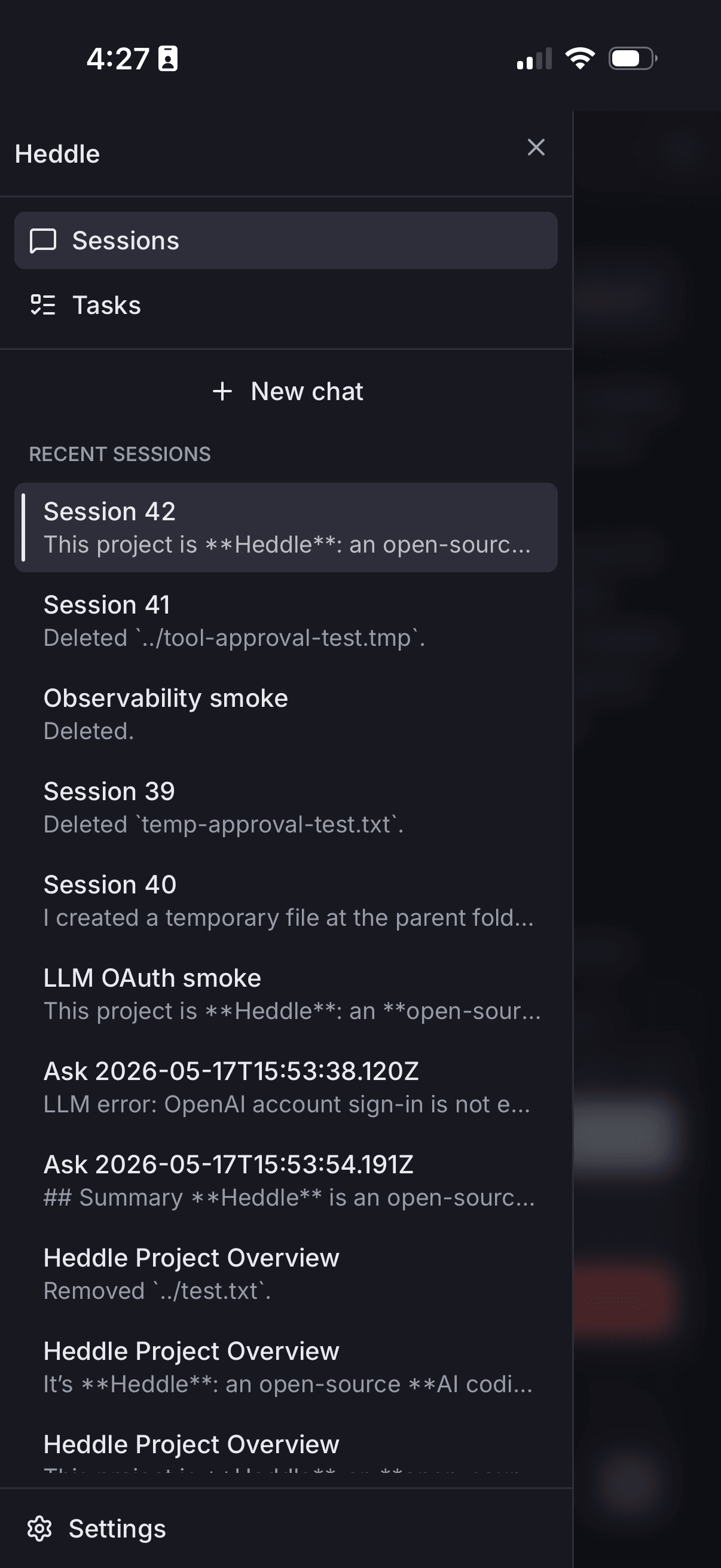
Sessions
Saved conversations, right-click pin/rename/archive actions, live assistant streaming, tool progress, approvals, and review-oriented session detail.
Composer controls
Model and reasoning settings, drift controls, file mentions, auth status, and browser image attachments.
Workspace switching
Register, rename, choose, and switch local project workspaces without restarting the daemon.
Review
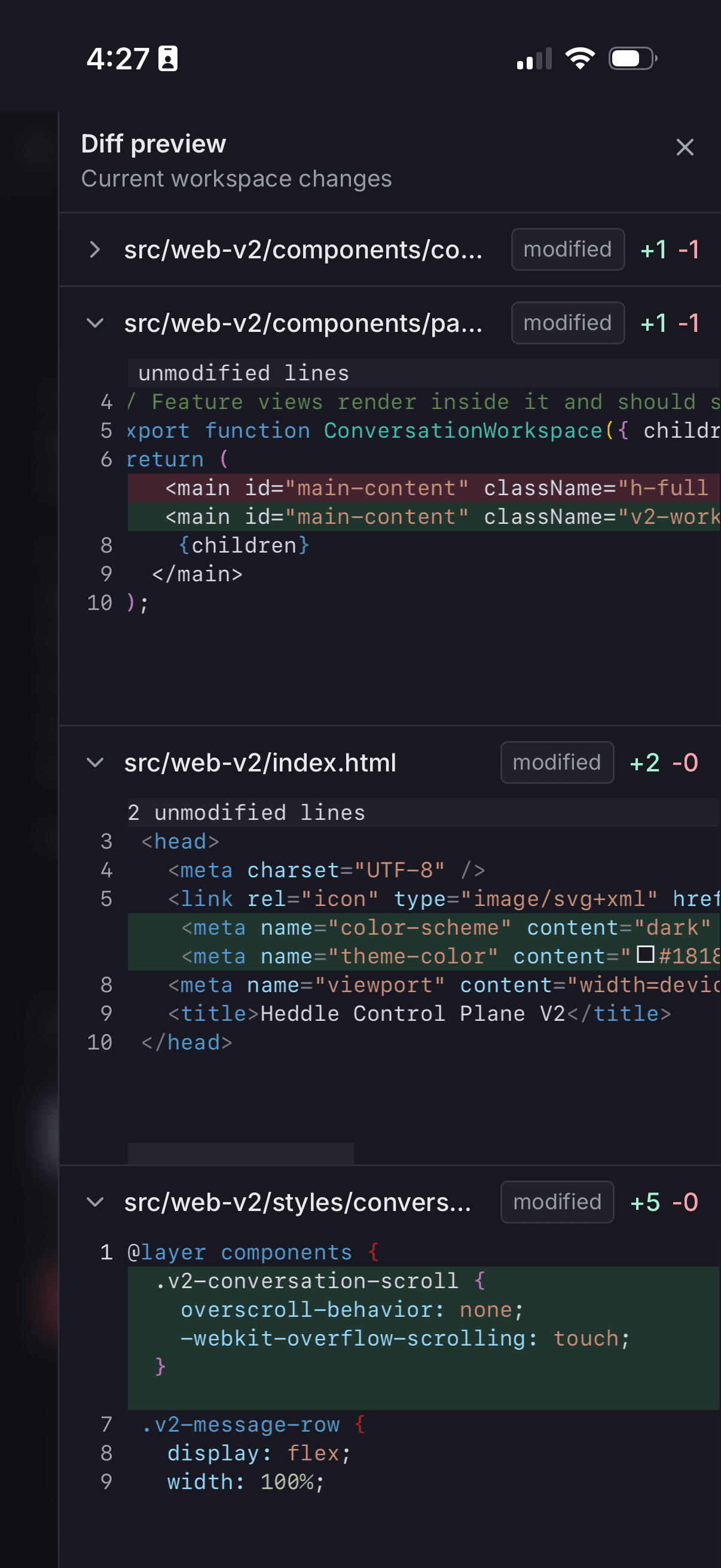
Current Git diffs, trace-backed turn history, command evidence, verification evidence, and approval records.
Tasks
Heartbeat task creation, editing, run-now, resume, enable/disable, delete, live run state, and saved run records.
Settings
Workspace management, general preferences, and memory status with catalog health and pending candidates.
Review model
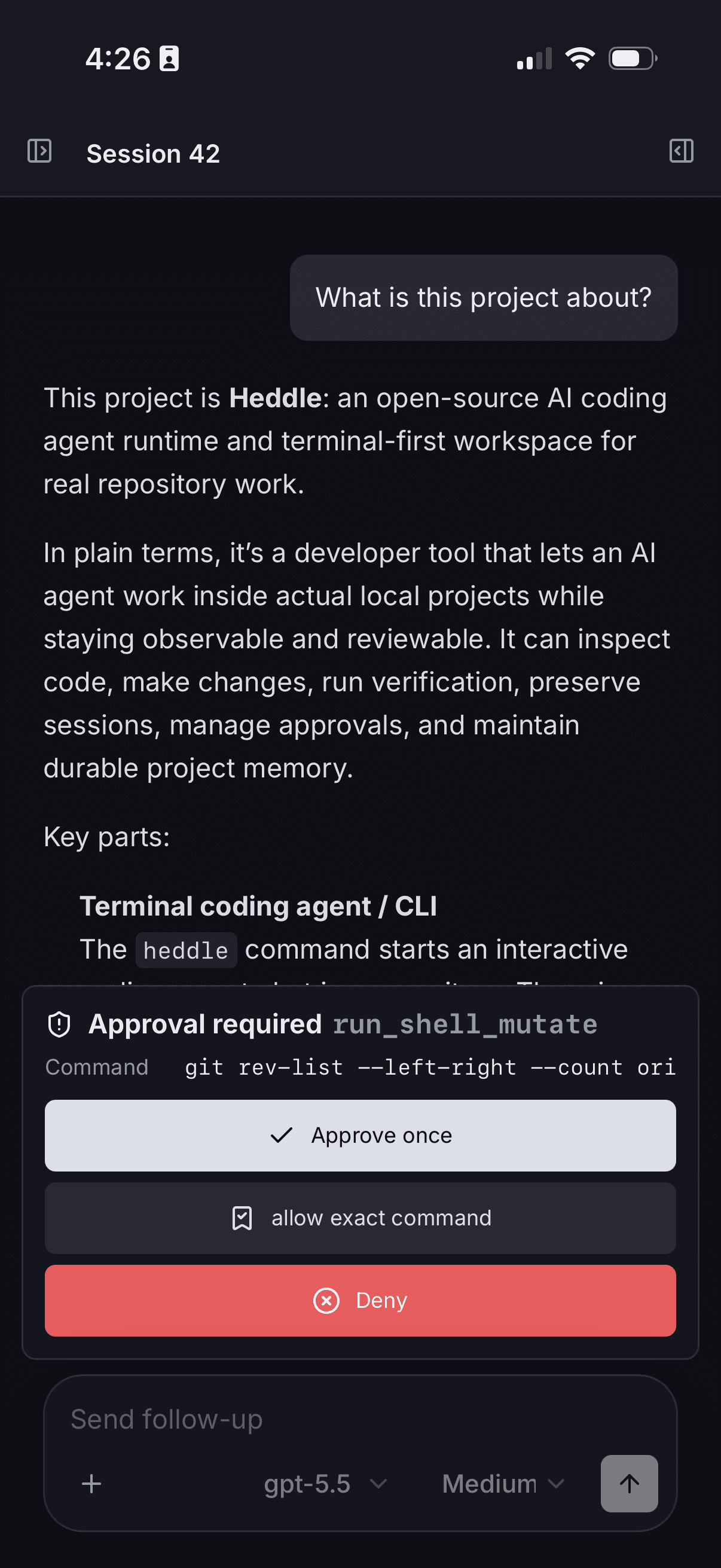
Heddle separates current review from historical evidence. Current review is Git-backed and shows the active workspace diff now. Turn history is trace-backed and explains what the agent did during a selected turn: captured file diffs, commands, verification, approvals, and runtime events. The browser review surface is intentionally read-only; it is for understanding and auditing work, not editing patches like an IDE.
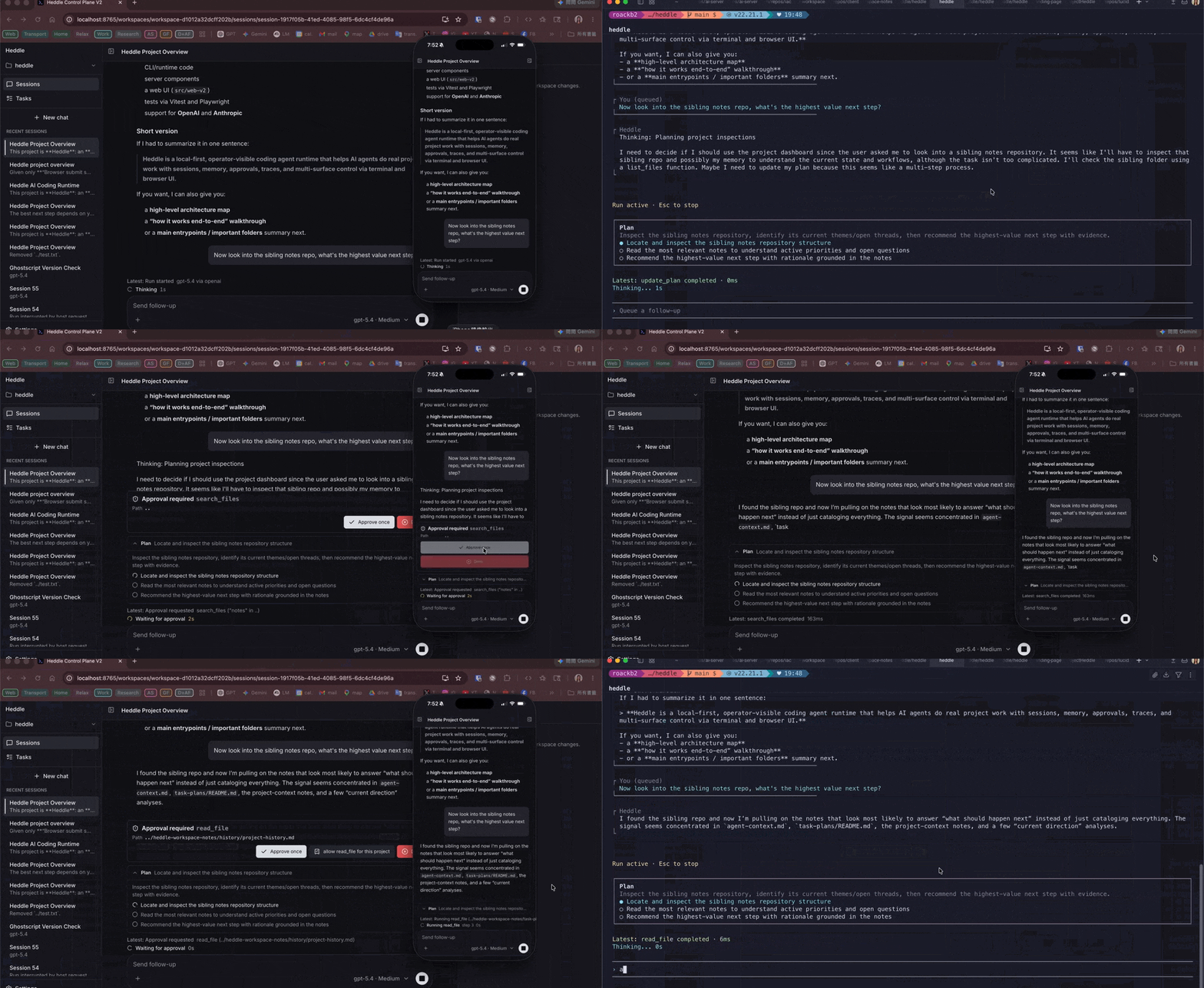
Approval requests stay visible while agent work continues.
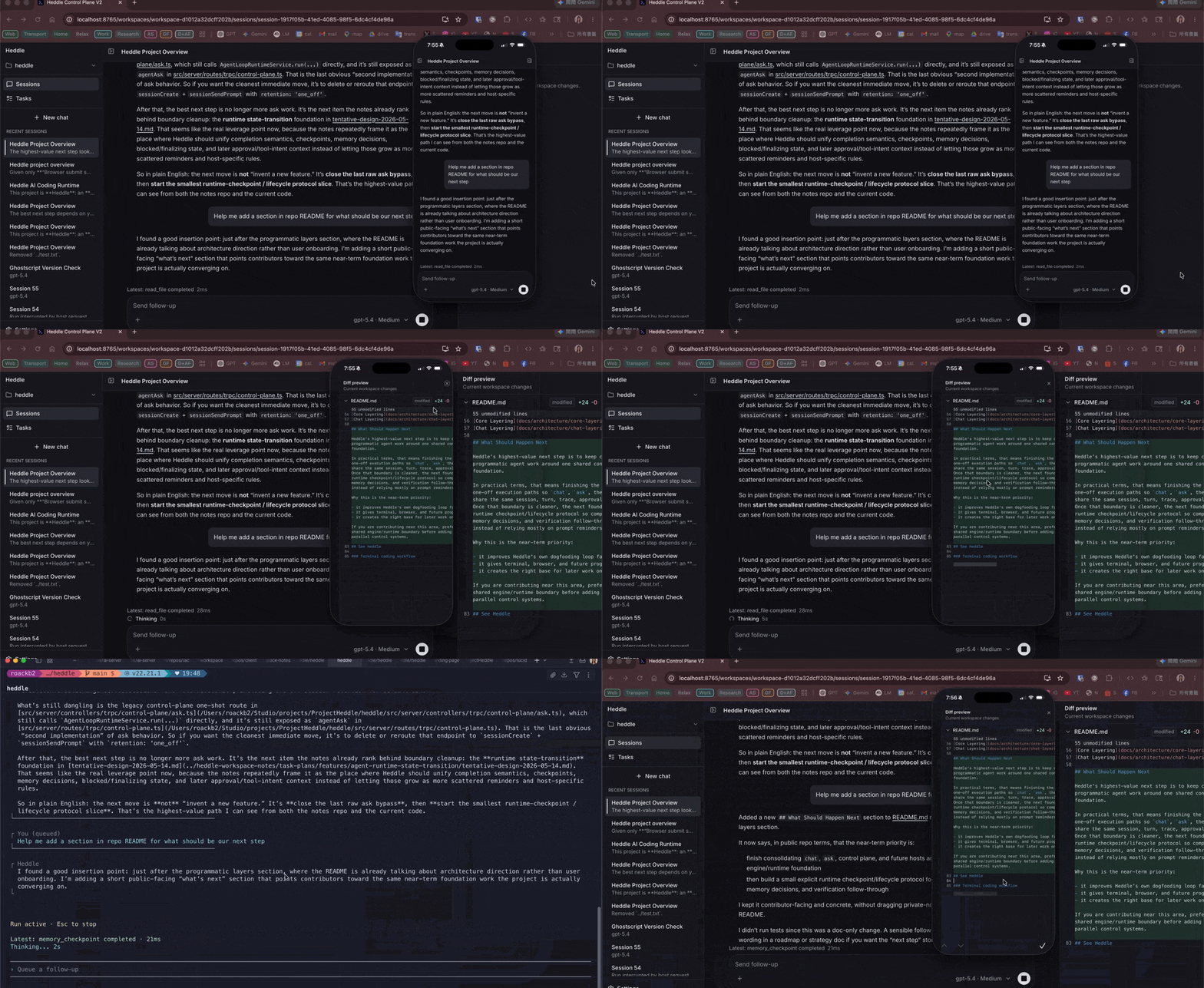
Diff review is available from browser and mobile views.
Mobile and private remote access
The control plane includes phone and tablet layouts for session review, task detail, settings, and current diff inspection. Heddle stays local-first by default. If you want access from another device, put a private network layer such as Tailscale in front of the local daemon instead of exposing it directly to the public internet.
What you can do
- Switch between registered local workspaces without restarting the daemon
- Browse, continue, rename, pin, and archive saved chat sessions
- Undo an archive immediately from the session toast
- Review current Git-backed workspace diffs and trace-backed turn evidence
- Manage heartbeat task schedules, live runs, and saved run history
- Check catalog-backed memory health and pending maintenance candidates
Mobile views