Heddle documentation
Build an agentic experience with Heddle
Start with a working conversation, then adopt only the runtime, capability, hosting, and client layers your product actually needs.
Customization depth
Choose the smallest useful runtime boundary
Hosting depth
In-process, hosted, remote, or product UI
Documentation status
Supported SDK boundary
- Durable conversation and turn semantics
- Model and tool execution, approvals, traces, and artifacts
- Ordered active runs, replay, cancellation, and terminal outcomes
- Identity, tenancy, authorization, and product relationships
- Domain tools, model credentials, storage policy, and public schemas
- Server framework, transport, deployment, UI, and result application
Integration evidence
See how real products pressure-test Heddle's boundaries.
SlideX tests an embedded product-agent integration. Lucid tests scheduled, isolated execution after the user leaves. Use both to choose the Heddle layers your product actually needs.
Integration retrospective
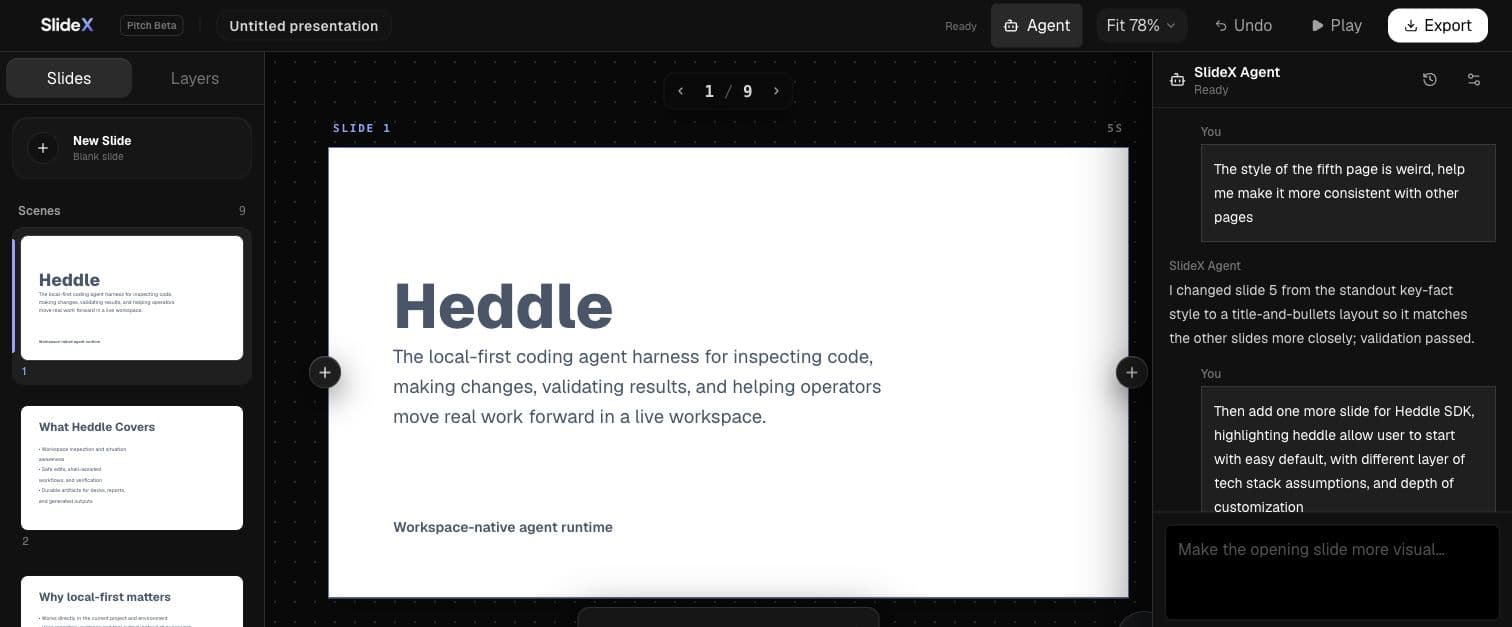
SlideX
Historical deployment · first third-party integrationA browser presentation workspace that integrated a conversational agent for creating and revising real decks.
What SlideX taught Heddle about becoming a product SDK.
In July 2026, SlideX deployed a Heddle-powered conversational presentation agent. The hosted product has since been retired as SlideX moved back toward local operation, but the integration became the pressure test that reshaped Heddle into a reusable SDK.
- Integrated real presentation tools
- Proved durable multi-turn conversations
- Shaped Heddle's public SDK boundaries
Think of Heddle as a workshop
The workshop model makes the ownership boundary easier to remember:
| Workshop role | Component | Responsibility |
|---|---|---|
| Front desk | Your product backend | Knows the user, authorizes the request, chooses product IDs and policy, owns the database and UI |
| Secure order and tracking | Heddle adopter contract and lifecycle | Carries signed scope, submits work, and keeps requested, accepted, interrupted, and terminal state truthful |
| Workshop building | A compatible Execution Host | Isolates execution from your product database and runs the workstation |
| Machinery and workers | The Heddle runtime | Runs conversations, models, tools, approvals, traces, artifacts, and workspace operations |
| Controlled service window | Your scoped MCP endpoint | Lets the agent use only the product capabilities authorized for this invocation |
| Ledger | Your product database | Stores product-owned records through your atomic adapter, schema, migrations, and retention policy |
PRODUCT USER
     |
YOUR PRODUCT (front desk + identity + policy + ledger + UI)
     |
HEDDLE ADOPTER CONTRACT (secure order + durable tracking)
     |
COMPATIBLE EXECUTION HOST (isolated workshop building)
     |
HEDDLE RUNTIME (machinery, workers, tools, workspace)
     |
SCOPED MCP WINDOW --------> YOUR PRODUCT APIs AND DATA
In the embedded shape, your TypeScript/Node backend is both the front desk and workshop: it imports @heddleagent/runtime directly. Add @heddleagent/runtime/runs only when that same process needs addressable runs, replay, cancellation, or reconnect. The run service stays inside infrastructure you operate; it is not a Heddle cloud service.
In the separate-host shape, only the compatible Execution Host imports the Heddle runtime. Your Python, Go, Java, TypeScript, or other backend uses the versioned OpenAPI, JSON Schema, JWT, SSE, and optional durable-lifecycle profile. TypeScript teams can use @heddleagent/execution-host-client for the supported helpers; every adopter still supplies its own database adapter and product policy.
Product ownership of a record does not mean product code should rebuild a generic state machine. Heddle defines what lifecycle transitions mean and when they commit. Your adapter defines how they are stored atomically. Your product decides which records a user can query and how the UI presents them.
Know what each package is for
| Package | Use it for | Do not confuse it with |
|---|---|---|
@heddleagent/runtime | Supported TypeScript/Node agent runtime and SDK | A browser library or language-neutral runtime |
@heddleagent/cli | The installable heddle coding-agent command, TUI, daemon, and local browser control plane | The embeddable SDK |
@heddleagent/runtime/runs | Addressable runs inside your long-lived Node process | The separately deployed Execution Host |
@heddleagent/run-client | Browser-safe consumption of hosted-run events | An execution backend |
@heddleagent/execution-host-client | TypeScript helpers and canonical v1 artifacts for a separate compatible host | The Heddle runtime or a public hosted service |
@heddleagent/postgres/execution-host/conversations | The official PostgreSQL adapter for the generic Execution Host turn lifecycle | Product conversation history, a universal storage layer, or pool ownership |
@heddleagent/postgres/heartbeat | The official PostgreSQL authority for durable Heddle heartbeat tasks | A scheduler, product database, or universal storage layer |
The maintained embedded runtime is TypeScript/Node. The separate-host network and durable-lifecycle boundary is language-neutral. Public npm artifacts contain the canonical wire specification; a Python implementation in the permissioned canonical source is clean-room conformance proof—not a published or supported Python SDK and not a promise to mirror every TypeScript convenience. The current compatible Execution Host remains permissioned; Heddle does not presently offer a public managed hosting service.
The former @roackb2/* coordinates are deprecated and remain installable only so existing applications keep running. New integrations use the @heddleagent/* family, including @heddleagent/postgres/heartbeat for durable heartbeat task authority.
Choose the path that matches your product
| What you want to do | Start here | What you will own |
|---|---|---|
| Evaluate Heddle in a TypeScript process | Build your first agent | Configuration and prompts |
| Add Heddle to an existing backend | Choose an integration layer | Product composition and the boundaries you already have |
| Add domain tools or an MCP server | Add a native tool or connect MCP | Domain behavior and capability policy |
| Render the agent inside your own application | Own output and activity | Presentation, UI state, and result handling |
| Let a turn outlive one request | Hosting overview | Identity, address scope, process lifetime, and transport |
| Build a browser product | Remote client | Public schemas, reconnect UX, and product UI state |
| Invoke a separate compatible Execution Host from any backend language | Choose an integration layer | Product admission, database adapter, MCP policy, result application, and deployment |
| Try the complete reference product locally | Local quickstart | A workspace and model access |
Learn in two dimensions
Heddle does not force one application stack. Decide two things independently:
- Customization depth: begin with a complete prompt loop, then progressively own capabilities, output, lifecycle, policy, and persistence.
- Hosting depth: stay in one process, add addressable runs, expose a transport, or connect a remote product UI.
The integration-layer chooser maps those decisions to the smallest public package surface that fits.
Recommended first journey
Follow the numbered Build with the SDK pages in order if you are learning Heddle:
- Run one persisted conversational agent.
- Create a stable session and submit a second turn.
- Add one product-owned tool.
- Add MCP only when the capability already exists behind a server.
- Move system behavior beside the capability that needs it.
- Replace the default text output with your own application surface.
- Consume structured results, then connect approval policy when a capability needs a decision.
- Add artifact and storage adapters only when the product requires them.
You can stop at any useful rung. Hosting and browser layers are optional.
The local coding agent is the reference host
Heddle's terminal UI and browser control plane exercise the same conversation, activity, approval, trace, and run foundations exposed through the SDK. Use them to learn what Heddle can do, then build a product experience with only the layers you need.