Terminal Chat
The primary interface. Run heddle in any repository to start the API-backed terminal chat UI with your codebase.
Overview
Heddle runs directly in your shell. It can inspect files, explain code, make edits, execute shell commands with the right approval model, and carry multi-step tasks across multiple turns — without leaving the terminal.
The current terminal chat experience uses the same local control-plane session API as the browser UI. That means terminal and browser clients share saved sessions, streamed assistant output, live run status, model and reasoning controls, file mentions, approval state, direct shell results, and review evidence.
Usage
heddle
# → Interactive chat starts in the current repo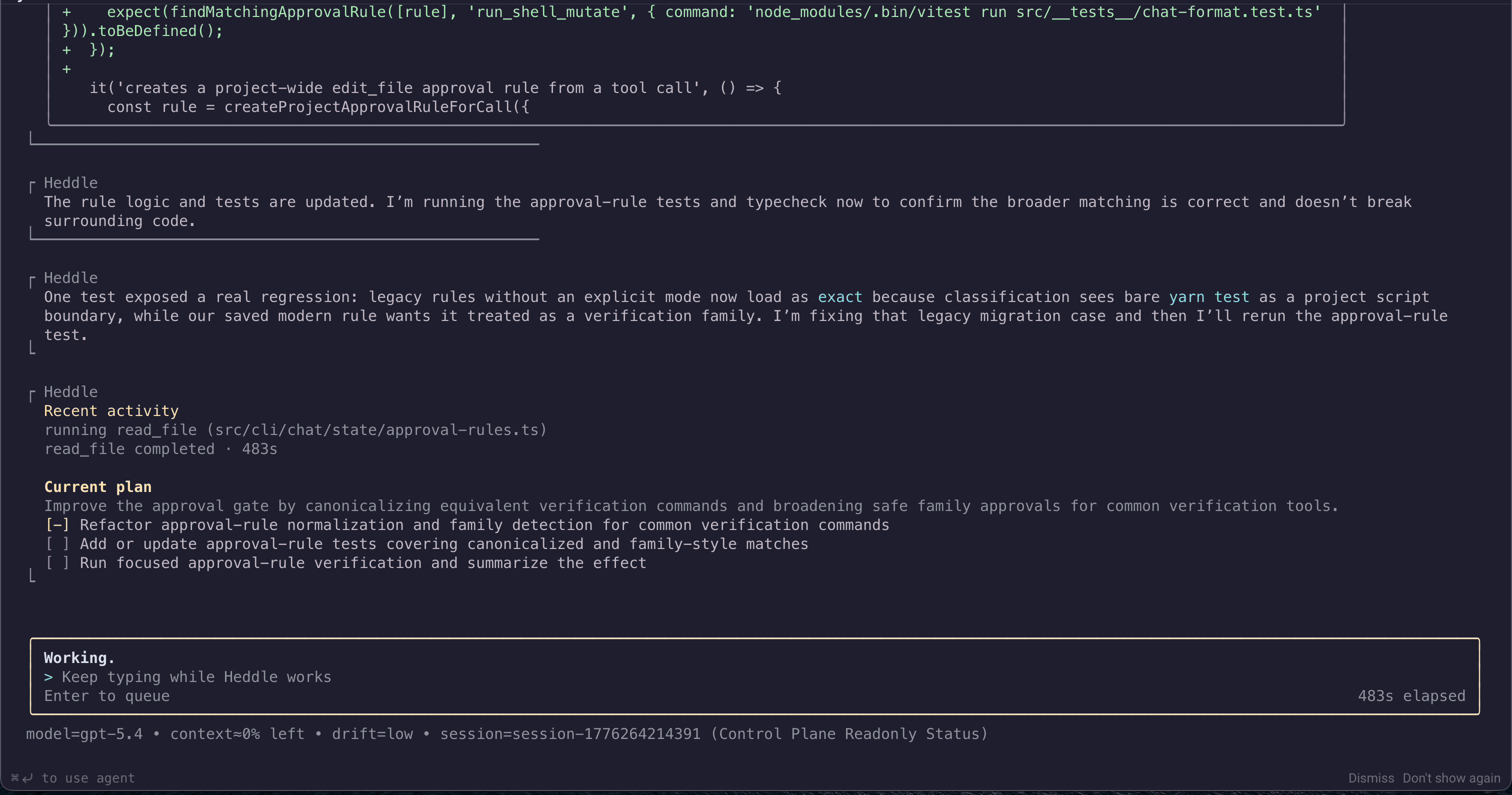
What terminal chat can do
- Inspect directories and read files in the active workspace.
- Search code with ignore-aware repository search.
- Edit, delete, move, or rename files when the task requires workspace changes.
- Run read-oriented shell commands and request approval for riskier shell mutations.
- Use provider-backed web search for current external references.
- Inspect local screenshots or browser-uploaded image paths when visual context matters.
- Create short visible plans for multi-step implementation or review work.
Direct shell and file mentions
Prefix a prompt with ! to run a direct shell command from chat. Mention important files with @path/to/file so Heddle prioritizes inspecting them instead of blindly pasting file contents into the prompt.
!git status
!yarn test
Explain the API boundary in @src/server/router.ts
Useful slash commands
/help                    # List available commands
/model                   # Show the active model
/model set <query>       # Choose a model interactively
/reasoning               # Show reasoning effort
/session list            # List recent saved sessions
/session choose <query>  # Pick a saved session
/continue                # Continue the current session
/compact                 # Compact older history
!git status              # Run a direct shell command
Prompt editing shortcuts
- Shift+Enter inserts a newline
- Ctrl+Z and Ctrl+Y undo or redo prompt edits
- Up and Down browse submitted prompt history at line boundaries
- Ctrl+A and Ctrl+E jump to the start or end of the prompt
- Ctrl+W deletes the previous word
- Ctrl+U and Ctrl+K delete before or after the cursor
Operator review and approvals
Approval requests appear in the terminal UI when Heddle needs confirmation for a file mutation, shell command, or other sensitive action. The runtime keeps those decisions visible in traces and review surfaces, so terminal coding work remains auditable instead of becoming hidden background automation.