Session 與連續性
Heddle 會把 session 存在 .heddle/,因此較長的工作不會每次重置。
總覽
回到被中斷的 task、延續 debugging thread,或跨 run 保存 project context。Session 會把 conversation history、compacted summary、queued prompt、model selection、reasoning effort、pin/archive state 與 pending runtime state 保留在工作區本地。
Saved session 使用 .heddle/chat-sessions.catalog.json,加上 .heddle/chat-sessions/ 底下的 per-session file。Browser control plane 與 terminal UI 讀取同一份 session record,所以你可以在 shell 開始、到瀏覽器 review,之後再繼續同一段 conversation。
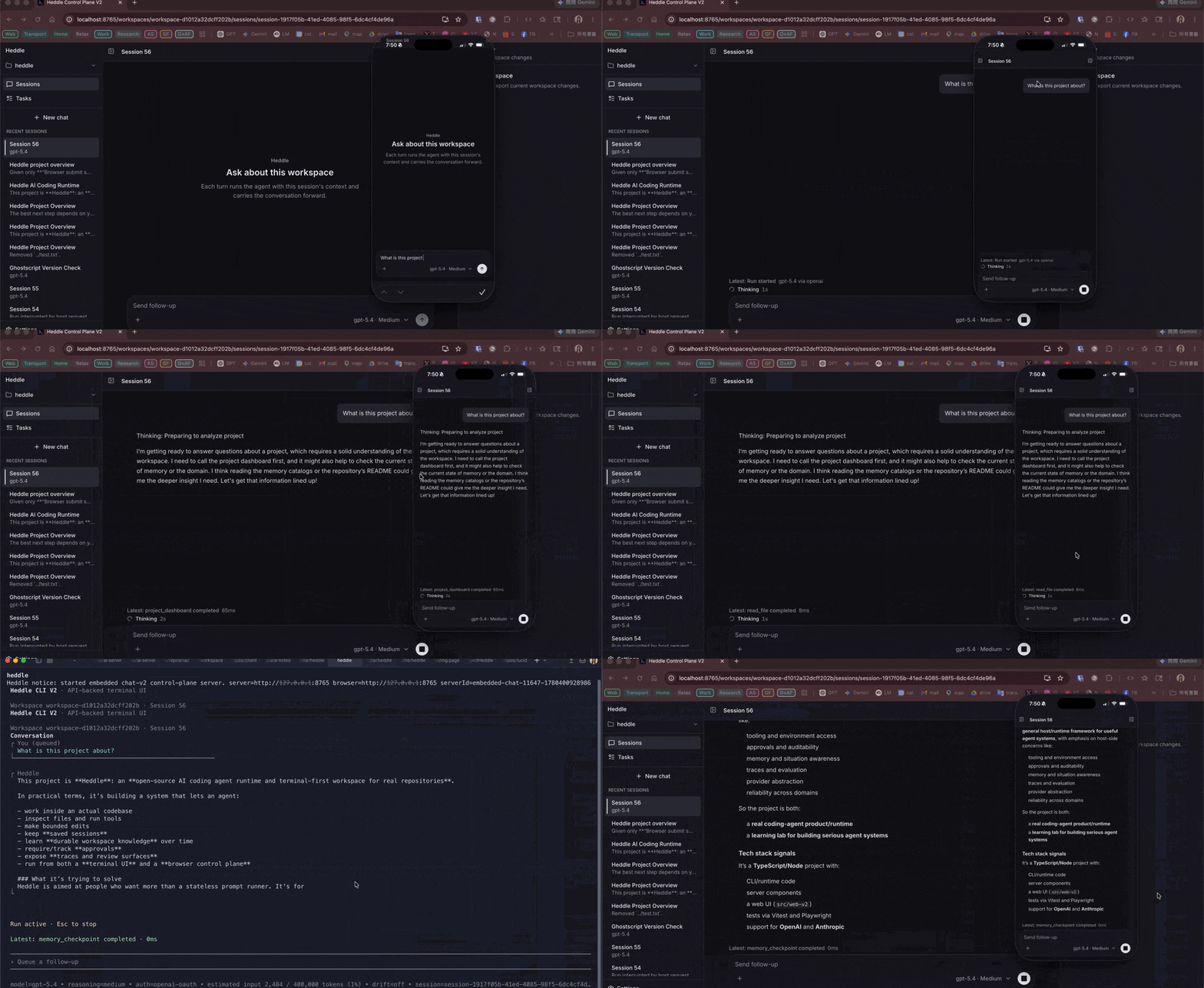
為什麼 saved AI coding session 重要
真實程式碼庫工作很少能塞進一個 prompt。Saved session 讓 Heddle 可以延續 debugging、implementation、refactoring、documentation 與 review task,而不是每次都從空白 conversation 開始。它們也讓瀏覽器 control plane 在 terminal run 結束後,仍有 durable record 可以檢查。
Session 會保存什麼
Session management action
使用 terminal slash command 建立、選擇、切換、continue、重新命名、pin、unpin 與 close saved session。
在 browser control plane 中,right-click session row 可以 pin/unpin、inline rename,或 archive。Archived session 會從一般 session list 隱藏;archive toast 會提供立即 undo action。
Compaction 與 context
較長的 chat 可能超過 model context window。Heddle 可以自動 compact 較舊 history;當你想立即 summarize older context 時,也可以使用 /compact。Terminal footer 會根據 active model 的 context window 估算 request size,讓你看見 history 何時變大。
Commands
/session list             # List recent saved sessions
/session choose <query>   # Pick a saved session interactively
/session new [name]       # Create a new session
/session switch <id>      # Switch to a saved session
/session continue <id>    # Switch and immediately continue
/session rename <name>    # Rename the current session
/session pin              # Keep the current session above normal recent sessions
/session unpin            # Return the current session to normal ordering
/session close <id>       # Remove a saved session
/continue                 # Continue the current session
/compact                  # Compact older history